> For the complete documentation index, see [llms.txt](https://apidocs.onekeypayments.com/llms.txt). Markdown versions of documentation pages are available by appending `.md` to page URLs; this page is available as [Markdown](https://apidocs.onekeypayments.com/guides/deposits/solutions/plugins/shopify/customer-flow.md).

# Customer flow

In just a few steps, your customers will be able to pay with D24 in your store. In the following quick guide we show you how:

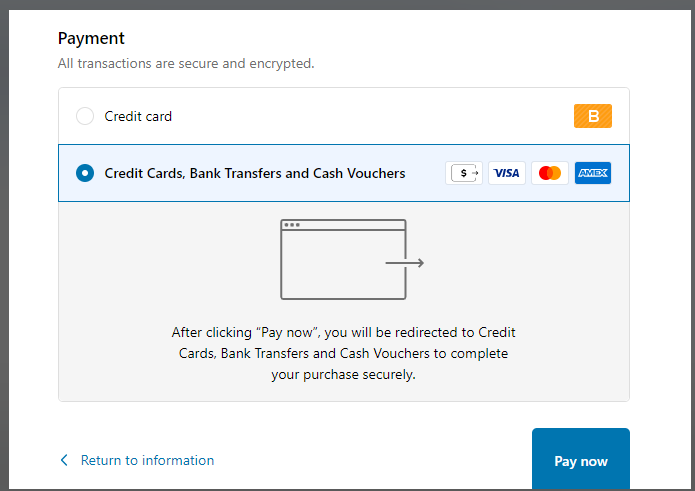
When adding products to the cart and going to checkout, the consumer will see D24 as a payment option.

<figure><img src="https://content.gitbook.com/content/NmmYRmGEpduaZ8YTyKQQ/blobs/QN85PjXo1yXLOwvB5Dp7/image.png" alt=""><figcaption></figcaption></figure>

Clicking it will allow you to make a payment with D24.

Select which payment institution you want to pay with D24.

![](https://d24-shopify-docs.vercel.app/images/customer-flow/directa24-shopify-customer-flow-2.png)

![](https://d24-shopify-docs.vercel.app/images/customer-flow/directa24-shopify-customer-flow-3.png)

Enter the data correctly.

![](https://d24-shopify-docs.vercel.app/images/customer-flow/directa24-shopify-customer-flow-4.png)

![](https://d24-shopify-docs.vercel.app/images/customer-flow/directa24-shopify-customer-flow-5.png)

![](https://d24-shopify-docs.vercel.app/images/customer-flow/directa24-shopify-customer-flow-6.png)

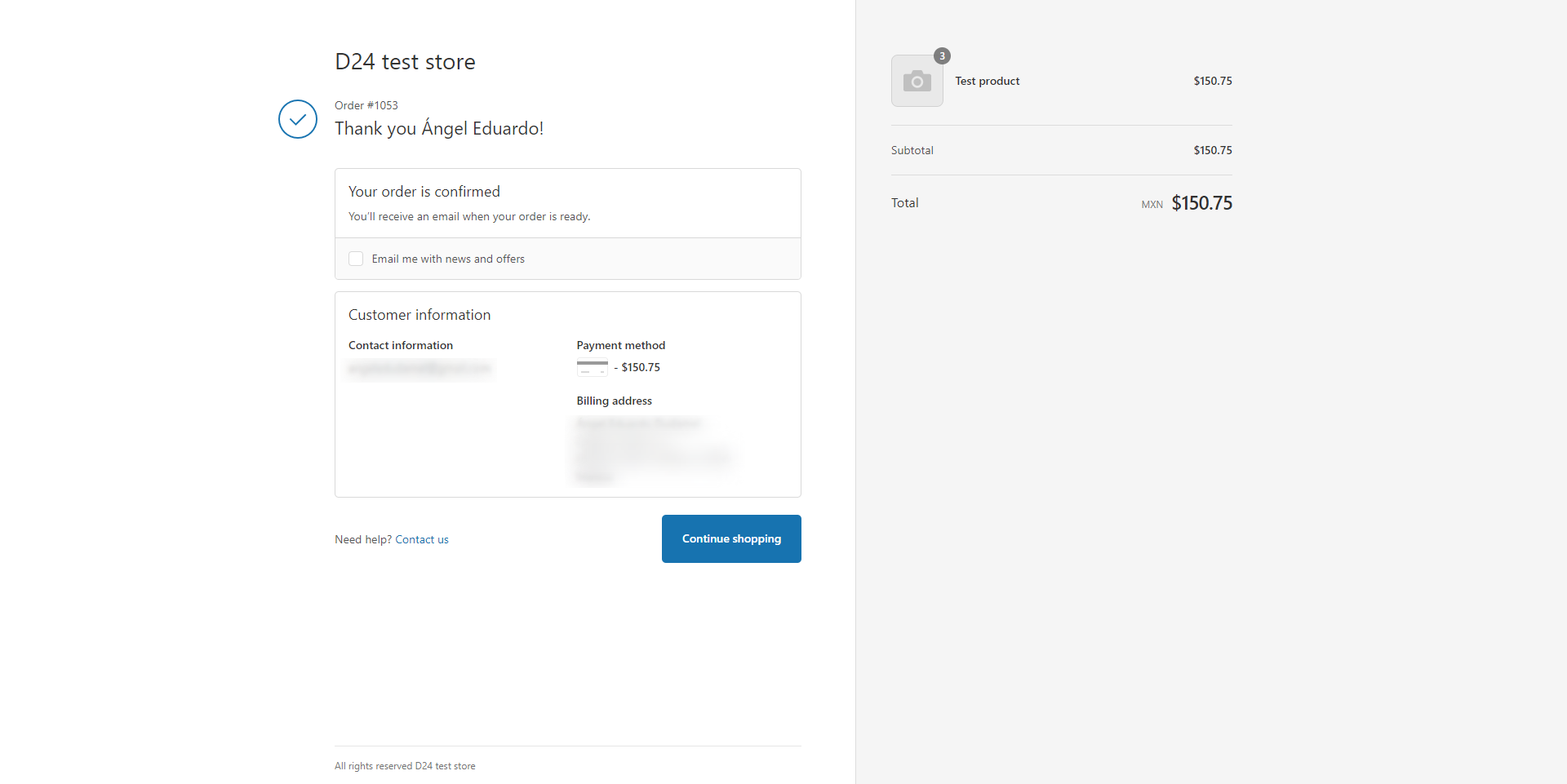
Upon successful payment, you will return to Shopify to see the status of your order.

![](https://d24-shopify-docs.vercel.app/images/customer-flow/directa24-shopify-customer-flow-7.png)

<figure><img src="https://content.gitbook.com/content/NmmYRmGEpduaZ8YTyKQQ/blobs/WMvrCDmGlMRP6wpw50PN/image.png" alt=""><figcaption></figcaption></figure>